

Screenshots
About Google Play Games
Play Android games on Windows with Google Play Games, Google's official app that brings your favorite mobile titles directly to your PC without requiring Windows Subsystem for Android.
Google Play Games transforms your Windows experience by letting you access curated Android games natively on your desktop. Unlike traditional emulation approaches, this streamlined solution eliminates the need for compatibility layers, giving you a cleaner, more direct path to gaming. Simply log in with your Google account, and your game progress syncs seamlessly across all your devices—pick up exactly where you left off, whether you're switching from phone to PC or vice versa.
While Google is actively expanding the catalog of compatible titles, the current selection represents Google's hand-picked games optimized for Windows gameplay. This curated approach ensures quality and stability, and Google continues working to add more games and enhance features for better Android app integration on Windows.
To get the best experience, you'll need to meet some straightforward requirements. Your system should run Windows 10 2004 or later, have at least 8 GB of RAM, and feature a processor with four or more physical cores—ideally paired with Intel UHD Graphics 630 or better. You'll also need an SSD drive with 10 GB of available storage space, plus hardware virtualization enabled in your BIOS and administrator account access. A keyboard and mouse are essential for gameplay.
Setting up is simple: install Google Play Games, ensure your hardware meets the specifications, and start downloading games from the curated selection. Your Google account integration keeps everything synchronized, so your achievements, saves, and progress remain consistent whenever you play.
If you're looking to explore a broader range of Android games on Windows, you can also use Windows Subsystem for Android alongside third-party app stores for unlimited installation options. However, for users seeking a reliable, officially-supported gaming experience optimized by Google, Google Play Games delivers a purpose-built solution. Download Google Play Games today and discover how seamless Android gaming on Windows can be.
Pros & Cons
Pros
- Seamless progress sync across phones, tablets, and PC
- Native Android gaming without emulation layers or compatibility issues
- Google-curated game selection ensures quality and stability
- Google account integration keeps achievements and saves consistent
Cons
- Requires Windows 10 2004+, 8GB RAM, quad-core CPU, and SSD space
- Limited game catalog compared to full Google Play Store
- Hardware virtualization must be enabled in BIOS to function
- Performance depends heavily on your system's GPU and processor
Related Apps

HD Movies - HDBox 2026
Xtra Movie HD
Movie trailers and latest films on Android—free app, no subscription needed. Browse & discover daily.

Flix Movies watch movies HD.
Afroza_Dev
Watch free HD movies online — stream 2,000+ films across all genres on your mobile or tablet.

DJ Viral terbaru 2026
AMAK
Trending Indonesian DJ music, viral remixes & mixes with clear audio, lightweight & background play.

ProgDVB
Watch live TV and radio online—hundreds of channels, instant access, no setup required.

Cuevana
Stream HD movies and TV series directly—no downloads, no storage limits, instant playback.

N-Mirror : Movies & Series
martin charlie
Movies and TV streaming guide—find where to watch across platforms instantly.
Latest Articles

Os melhores aplicativos para reutilizar um Fire TV Stick antigo em 2026 (7 testados)
Jul 22, 2026

Os melhores aplicativos para acesso remoto a homelab do Android em 2026 (testamos 7)
Jul 22, 2026
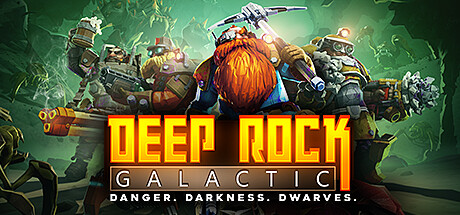
Melhores jogos de tiro cooperativo para desktop em 2026 (7 testados)
Jul 22, 2026

Melhores jogos de aventura de horror aconchego para desktop em 2026 (7 testados)
Jul 22, 2026
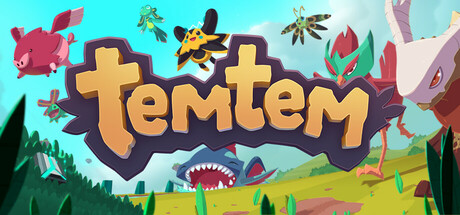
Melhores apps para colecionar monstros como Pokémon no desktop em 2026 (testamos 7)
Jul 22, 2026